
Android V2 product proof
Take control of your scrolling without friction.
Piko turns focus breaks into a visual check-in flow: pick your target apps, confirm setup, and let the overlay guide short timed sessions before deep dives begin.
Real emulator screenshots
Overlay + notification fallback
Play Console inputs pending


First-run setup
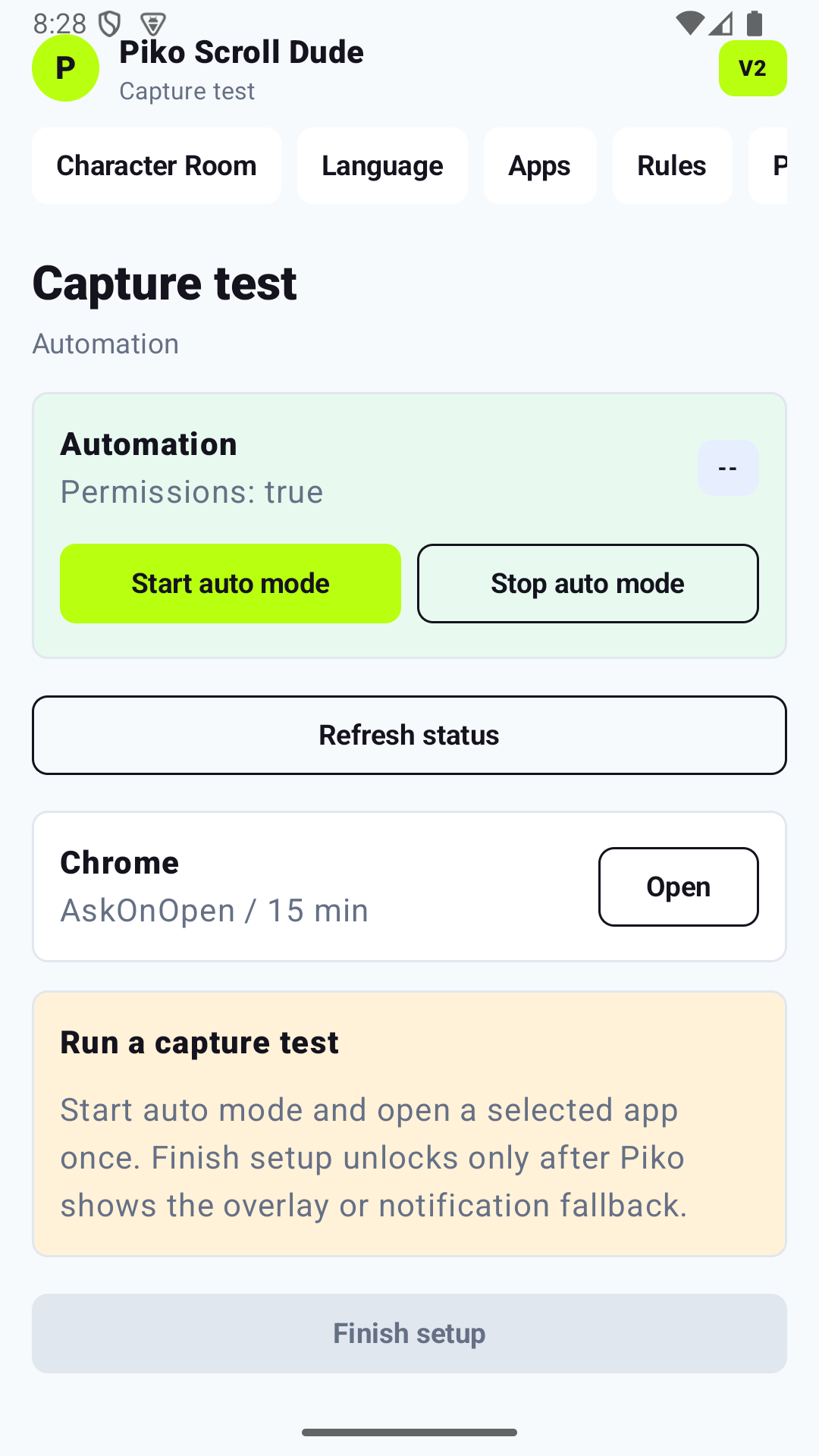
Setup is complete only after a real capture test.
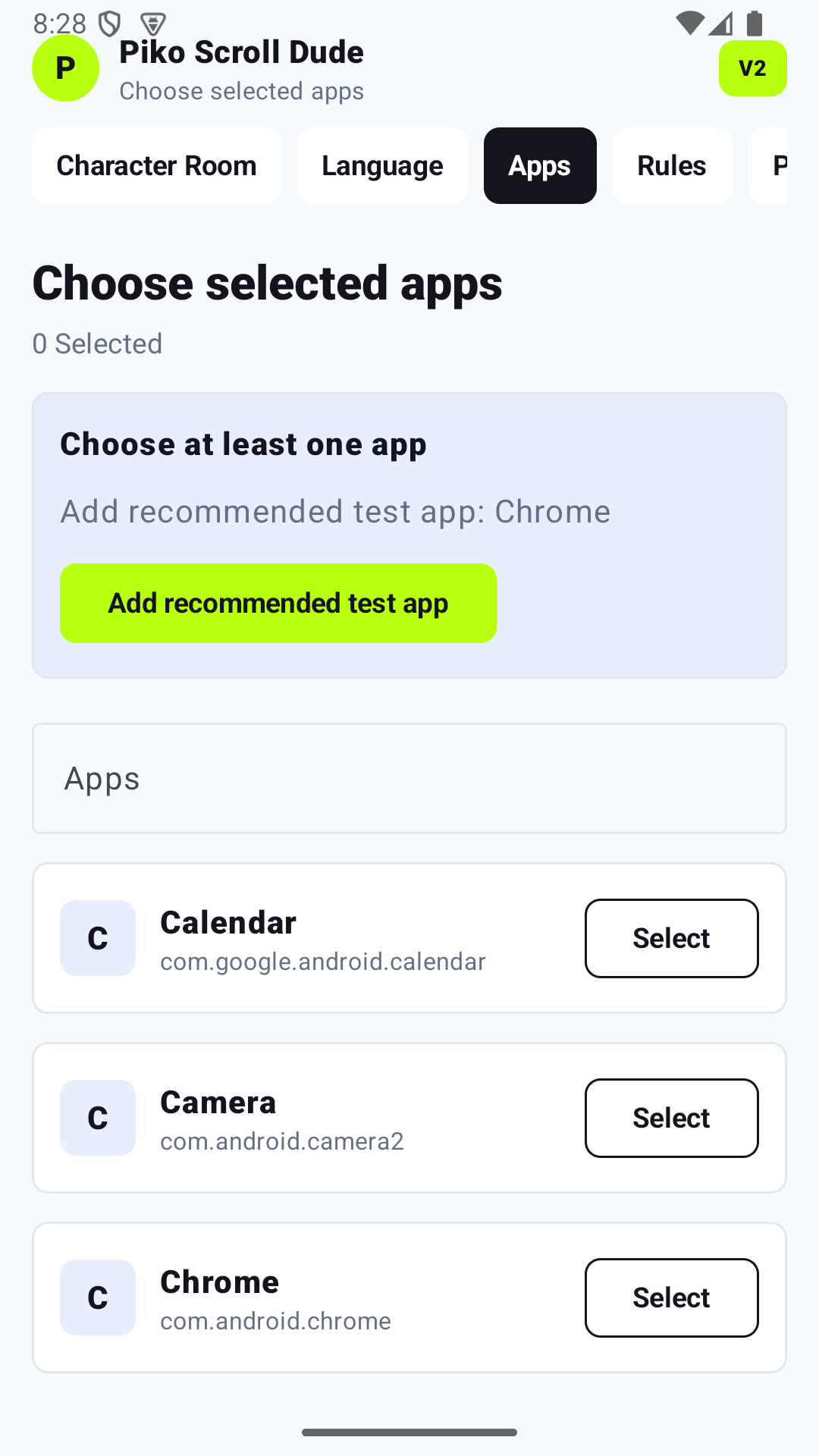
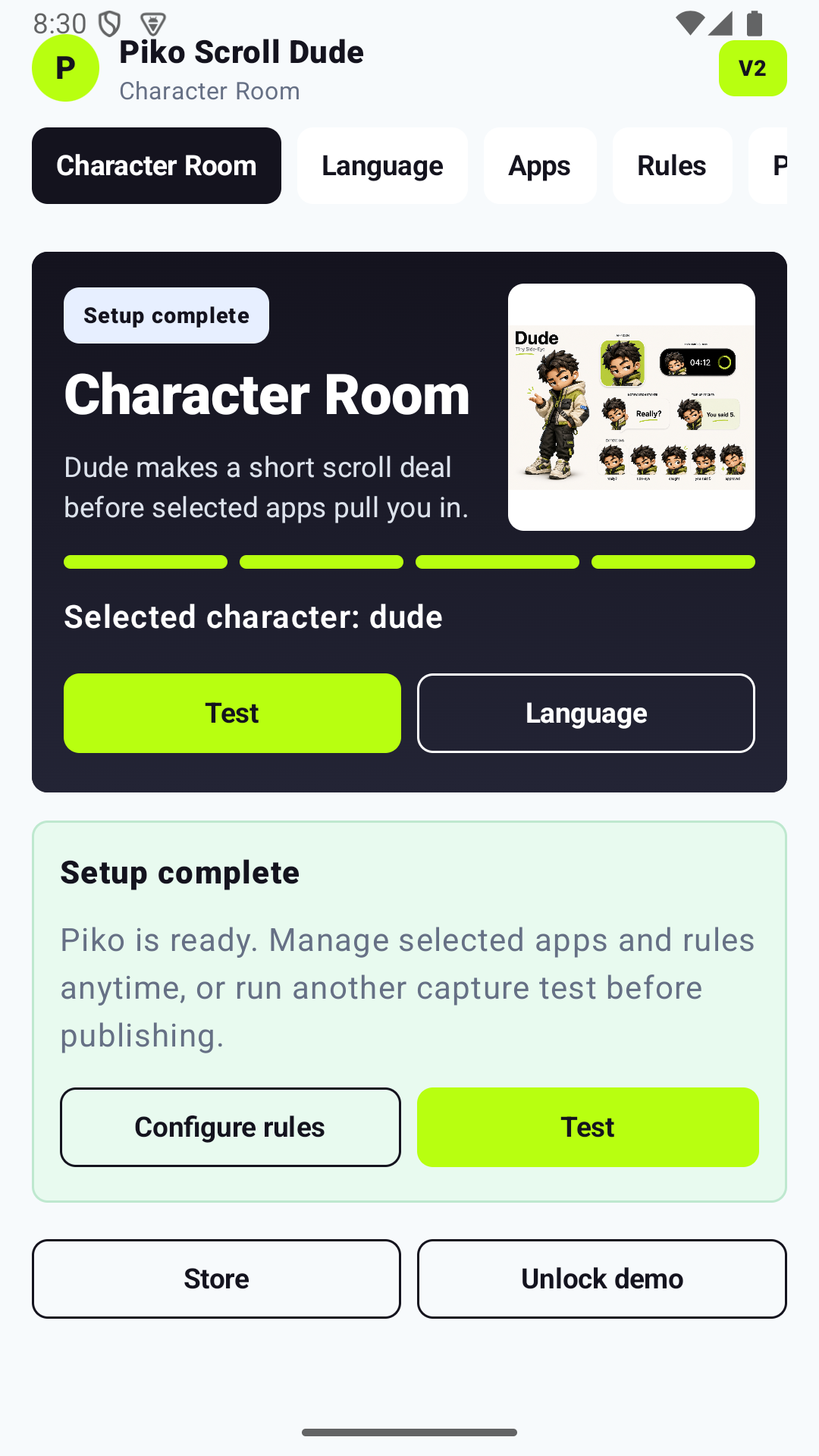
Piko now avoids the old confusing loop. The app suggests a real test app, keeps the finish button locked until the overlay or notification fallback fires, then returns to the Character Room with setup marked complete.
Runtime loop
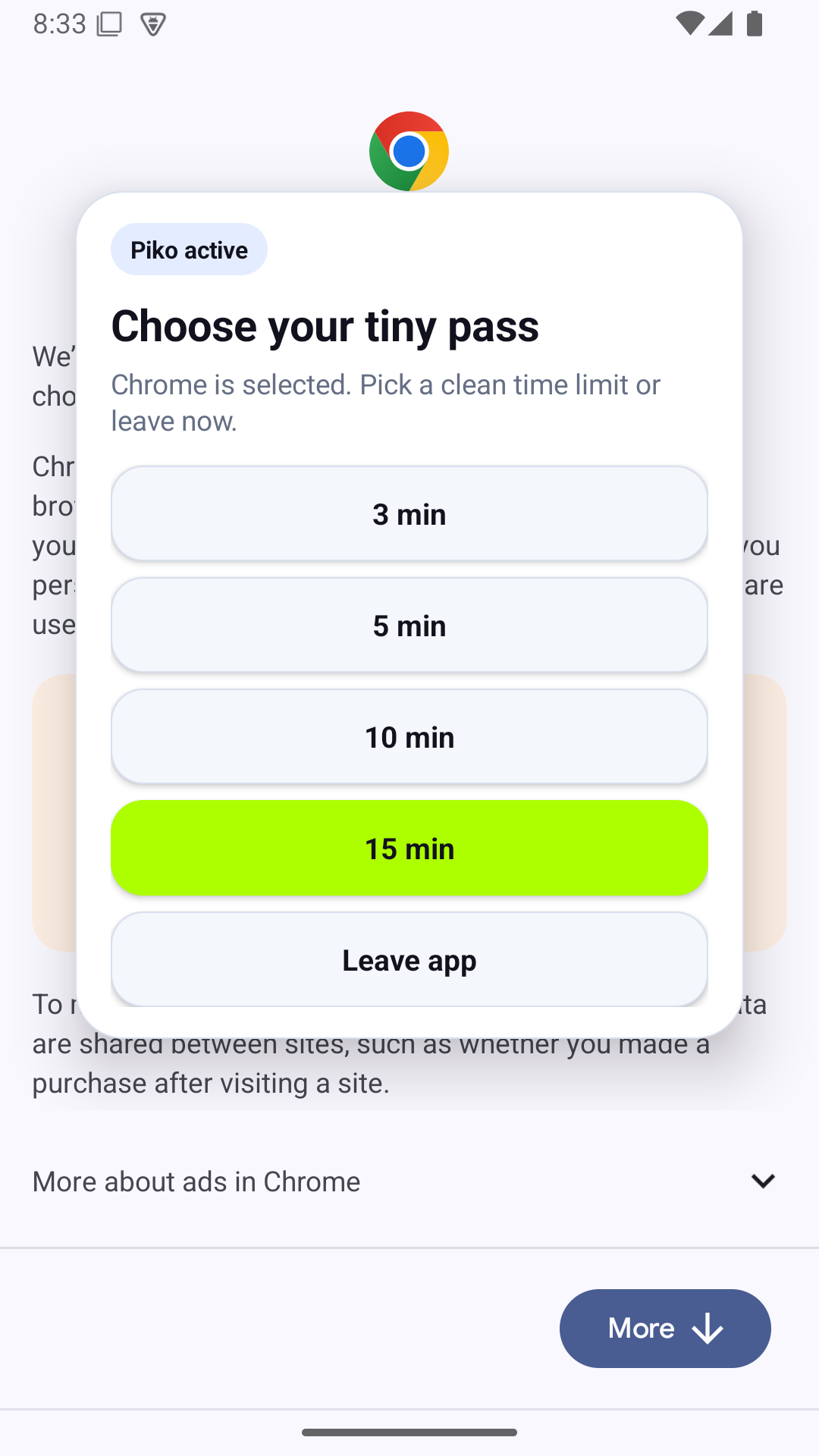
The overlay is the product moment.
When a selected app reaches the foreground, Piko displays a clear choice: take a short pass or leave the app. If overlay permission is missing, the Android app uses notification fallback instead of pretending setup is complete.
- Usage Access compares foreground package names only.
- Display over other apps powers the opening card, timer bubble, and time-up card.
- Notifications keep fallback and foreground service state visible.
Product proof
Four interaction surfaces, one consistent UX pattern.
Each screen follows the same character-first rhythm: clear choice, clear timer state, and explicit privacy messaging.
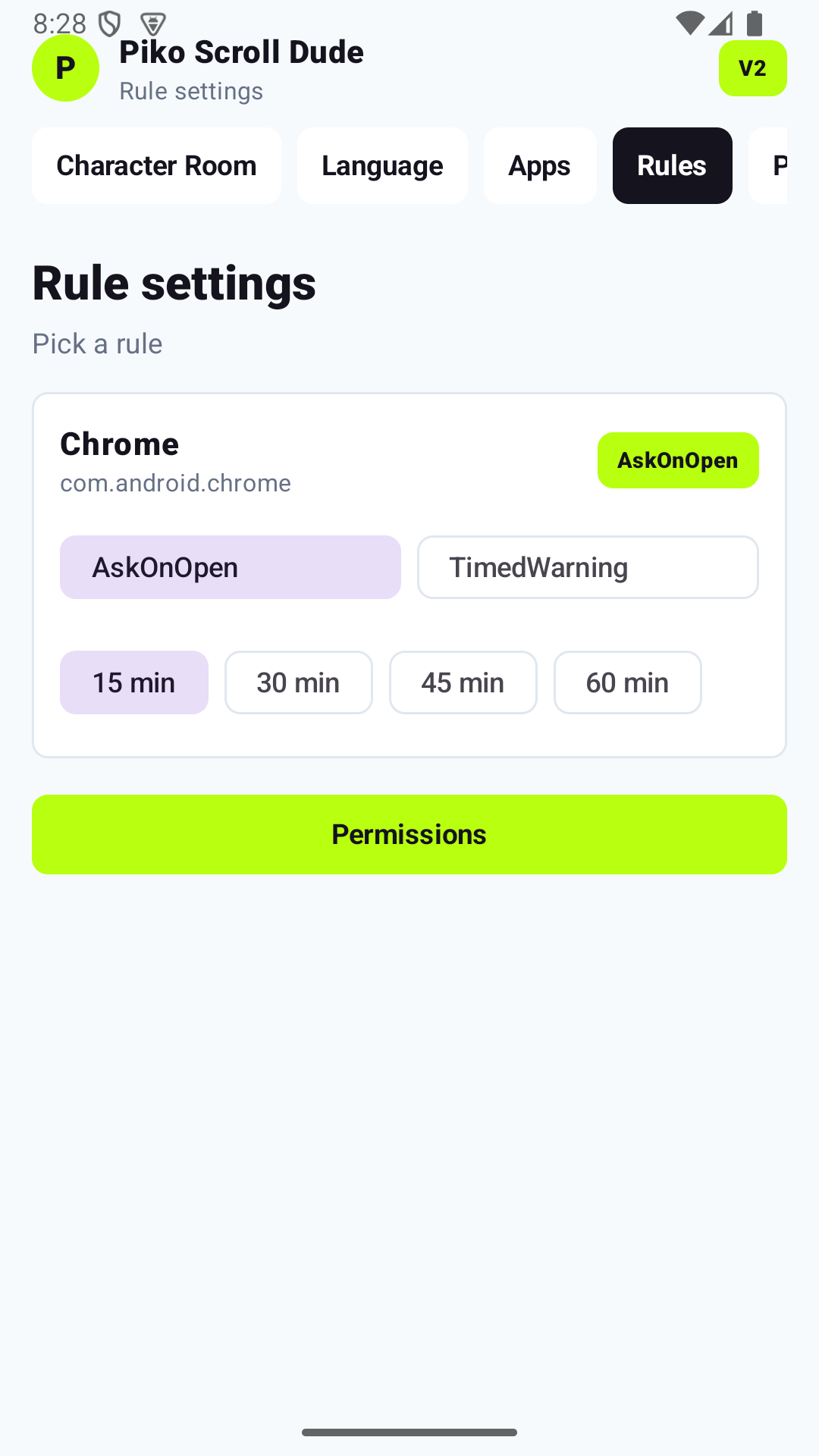
Rules per app
Ask immediately, or run a timed warning for longer sessions.
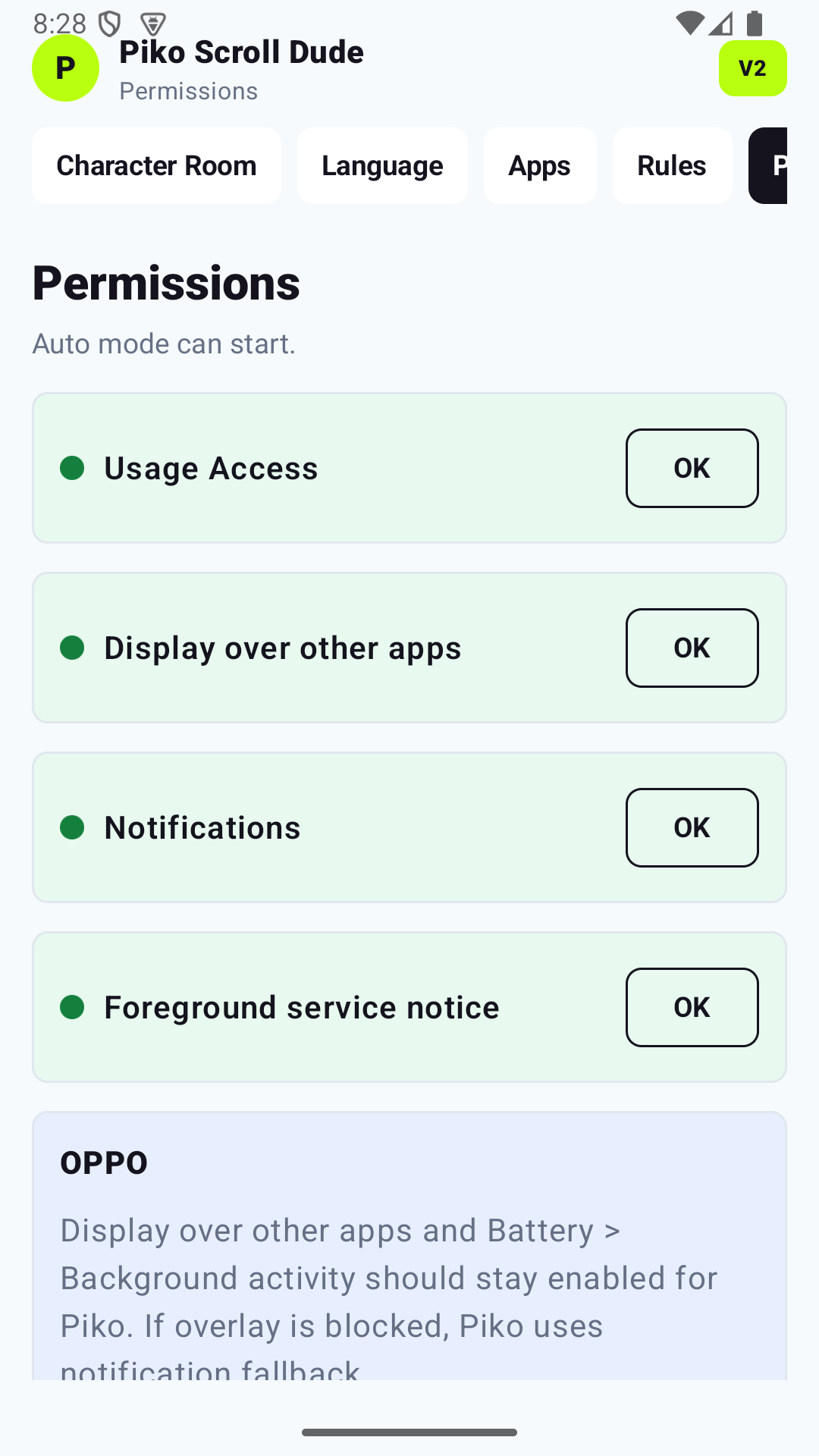
Permission clarity
Required permissions are shown as explicit checks, including OPPO fallback guidance.

Safe receipts
Receipts use planned and actual time plus editable safe text, not private feed content.
Privacy by design
Piko checks which app is open, not what you do inside it.
Usage Access is used to compare the current foreground app package with the apps you selected. Piko does not read feed text, screenshots, messages, passwords, keystrokes, or profile data inside other apps.
Local setup state
No Piko account required
Optional share receipts
Server-side avatar API key
Google Play preparation
No fake store badge until the account is ready.
The app has release artifacts and store documentation, but public launch still needs the Google Play Console account, upload signing, product IDs, and live purchase/restore evidence.
Play-ready state is blocked by platform sign-off only. App UI can be shown now, but the website must not use any release claims before all platform gates are green.
Android release build
Release build and AAB generation pass locally.
Policy and privacy draft
Data safety, policy, screenshots, and graphics are prepared for review.
Play Console
Signing, product configuration, and live purchase QA wait for account-level inputs.
Required before launch claim
- Google Play account and app profile are fully active.
- Upload signing and production track are configured.
- In-app product IDs and price plans are approved.
- Live purchase and restore QA evidence is validated.
- Privacy copy, screenshots, and billing metadata are aligned for release.